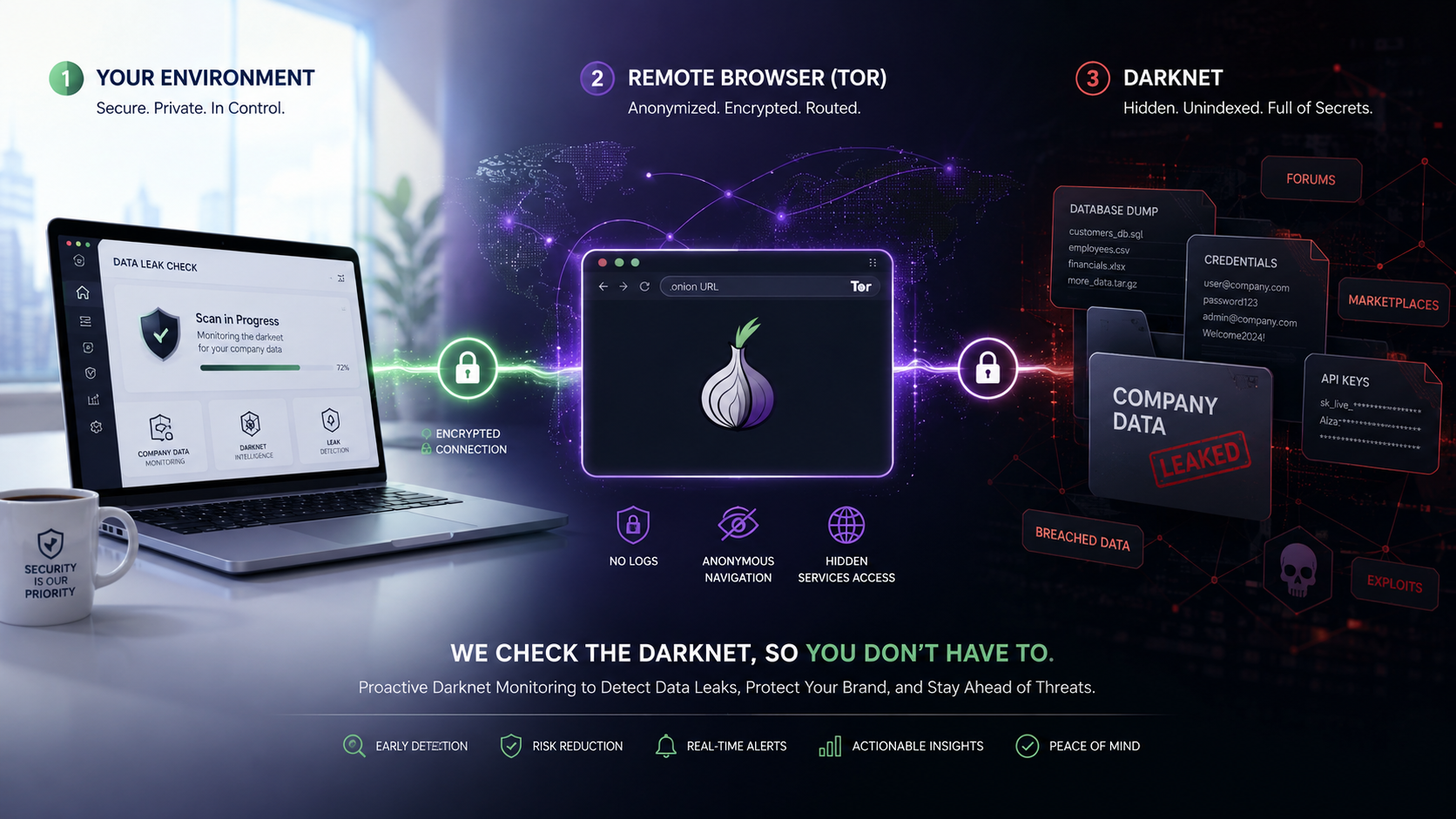
Why data appears on the dark web
Personal and company data can be exposed through breaches, stolen accounts, malware, or accidental disclosure.
Some of that information is later shared or offered for sale on services that are not indexed by ordinary search engines.
These services may be reachable only through the Tor network and are commonly described as part of the dark web.
Finding an exposure early can help you respond before it is used for further harm.
A browser built for dark-web research
The DarkNet Browser session features Tor Browser in a remote environment.
Tor can reach .onion services that a standard browser cannot open.
The remote session separates that activity from your local device, so unfamiliar pages and their content do not run directly on your computer.
This makes it a practical research environment for authorised security checks.
What you can look for
An individual might search known, lawful sources for exposed information such as:
- An email address or username
- A telephone number
- References to an account or service they use
- Notifications connected with a known breach
An authorised company investigation might look for:
- Company email domains
- Employee credentials associated with a confirmed incident
- Customer or supplier data
- Internal project names or document references
- Mentions of the company alongside a claimed data leak
Use only information you are entitled to investigate. Do not attempt to buy stolen data, access accounts, or interact with illegal material.
Start with a focused plan
Decide what you are checking before opening a session.
Use a short list of distinctive search terms and record why each term is relevant.
Avoid entering passwords, payment details, or unnecessary personal information into unknown services.
Be especially cautious with downloads and claims made by anonymous sources. A listing can be false, recycled, incomplete, or designed to attract victims.
Treat findings as leads, not proof
A search result does not automatically prove that a breach is genuine.
Check dates, the claimed source, and whether small non-sensitive details match information you already know.
Preserve only the minimum evidence needed for investigation and follow your organisation's incident response and data-handling procedures.
Equally, finding nothing does not prove that your data has never been exposed. Dark-web content changes, some services are private, and no search can cover every source.
What to do if you find exposed data
If the information appears genuine:
- Do not contact the seller or download a larger dataset.
- Record the service address, date, time, and a concise description of what you observed.
- Change affected passwords from a trusted device and enable multi-factor authentication.
- Tell the relevant company security, legal, or data-protection team.
- Consider notifying the appropriate regulator, law-enforcement body, or specialist incident-response provider.
Do not reuse a password entered during the investigation, and never sign in to personal or company accounts from an untrusted dark-web page.
Isolation reduces local exposure
Dark-web services can be unpredictable.
Running Tor Browser remotely creates separation between those services and your everyday device.
When the session ends, the remote environment is removed along with its browsing state.
Isolation reduces risk, but it does not make every action safe or lawful. Good judgement and normal security controls still matter.
Final thoughts
A DarkNet Browser session can support careful checks for exposed personal or company information without browsing directly from your local device.
Use it as one part of a wider monitoring and incident-response process. Search narrowly, verify cautiously, and act quickly through trusted channels when you identify a credible exposure.
DarkNet Session Eligibility
Identity and age verification is required before access is enabled.