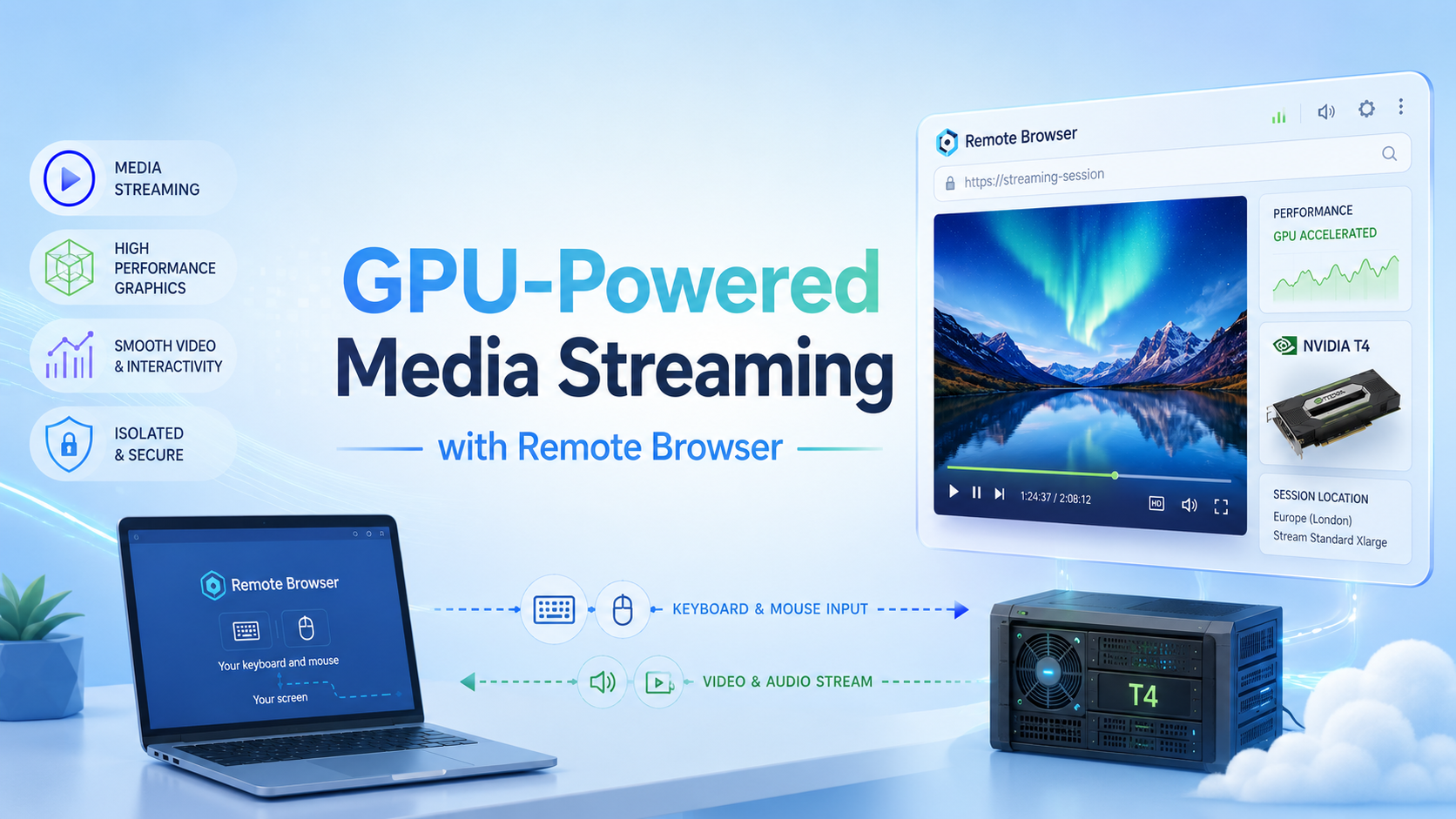
When an ordinary browser session is not enough
Modern websites can do much more than display pages.
They can stream high-resolution media, render interactive graphics, present detailed visualisations, and run demanding web applications.
These workloads can place significant pressure on the graphics capabilities of a local device or a general-purpose remote session.
The Media Streaming session is designed for this more demanding kind of browsing.
GPU-backed remote performance
The session is backed by an AWS stream.standard.xlarge instance.
This instance uses NVIDIA T4 GPUs to support graphics-intensive applications.
Graphics work happens in the remote environment, while the resulting display and audio are streamed to your device.
This means the remote session can provide dedicated graphics capability even when your local computer is not built for demanding visual workloads.
Built for media-rich experiences
A Media Streaming session can be useful for:
- Video and other streaming-media services
- Browser-based creative and graphics tools
- Interactive product demonstrations
- Data visualisation and mapping applications
- Websites with animation, WebGL, or complex visual content
Actual performance still depends on the website, the content provider, your network connection, and the selected remote location.
Keep demanding activity away from your device
The browser and website run in the cloud rather than directly on your local computer.
Your device receives the streamed session and sends keyboard and mouse input.
This reduces dependence on local graphics hardware and keeps the remote browsing environment separate from your files and operating system.
You get the benefits of a more capable remote environment while retaining the isolation provided by Remote Browser.
A consistent environment across devices
Local devices vary widely in age, graphics performance, memory, and software configuration.
A GPU-backed session provides a known remote environment for media-rich work.
You can connect from a suitable laptop or desktop without installing specialist graphics software on it.
This is helpful when moving between devices or when a lightweight computer needs access to a more graphics-capable browser.
Your network still matters
GPU acceleration improves how graphics-intensive applications run in the remote environment, but the final experience is streamed over the internet.
A stable connection with sufficient bandwidth helps maintain responsive controls, clear video, and reliable audio.
Network congestion, high latency, and limitations imposed by a media provider can still affect playback quality.
For the best experience, use a stable connection and choose an available session location that provides a suitable network path.
Specialist capacity when you need it
The Media Streaming session is a specialist option alongside the standard Remote Browser and DarkNet Browser sessions.
Eligible subscribers can select it from their profile, and it is also offered as an on-demand session where available.
Final thoughts
The GPU-powered Media Streaming session extends remote browsing to demanding visual and media workloads.
By combining NVIDIA T4 graphics capability with an isolated browser in the cloud, it gives graphics-intensive sites and applications more suitable remote resources without relying on the power of your local device.
Streaming Session Eligibility
Identity and age verification is required before access is enabled.