Remote browsing for regular use
On-demand sessions are useful when you need a remote browser occasionally.
A subscription is designed for people who use Remote Browser more regularly.
It brings supported session types together in one monthly plan and makes it easier to start a session whenever you need one.
Monthly minutes with flexible overage
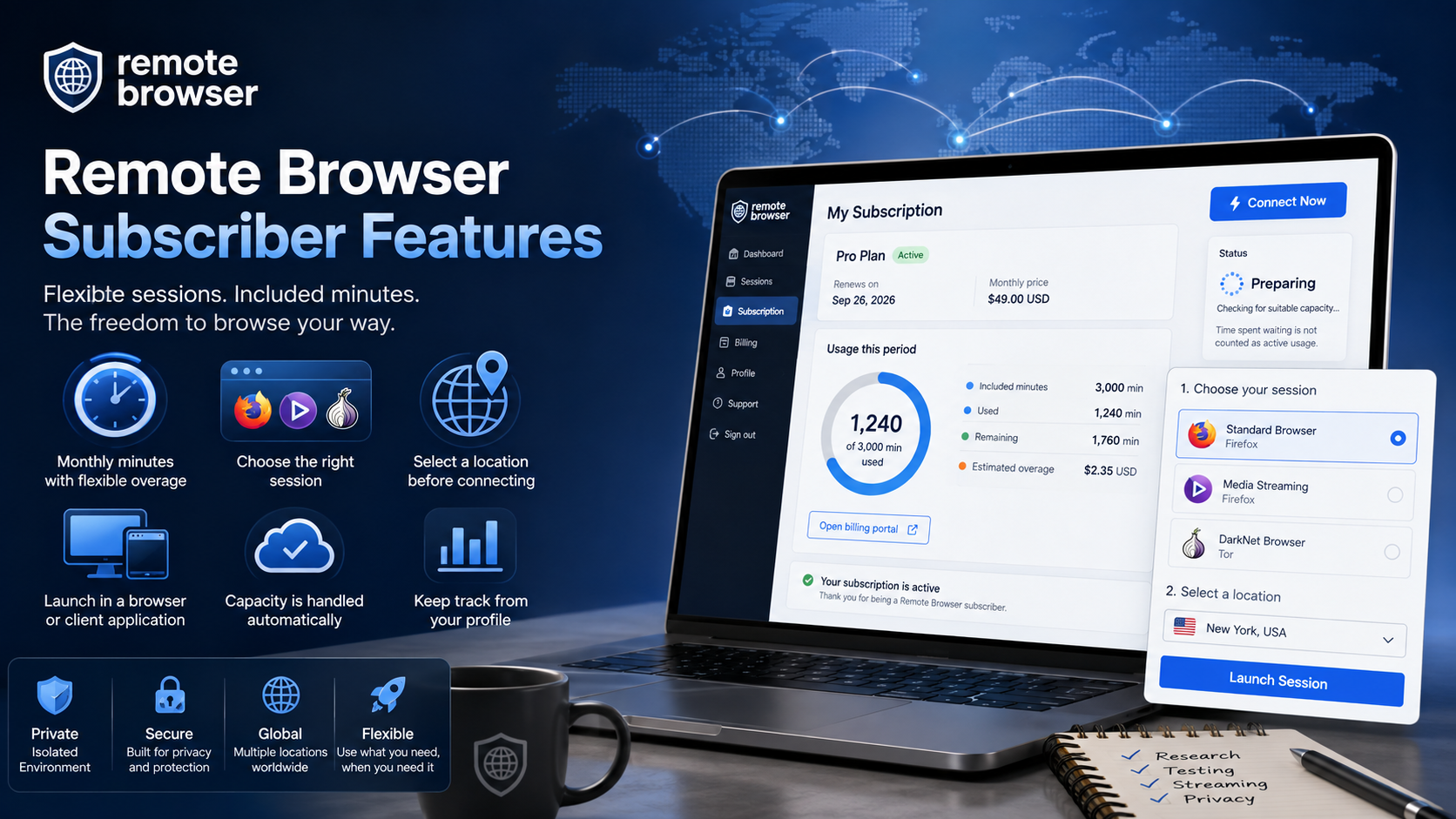
The monthly plan includes a large bundle of minutes for Remote Browser use.
Your profile shows how many minutes you have used and how many included minutes remain.
If you use more than the included allowance, the additional time is charged at the per-minute overage rate shown for your selected currency.
This gives you a predictable monthly allowance without stopping a useful session simply because you have reached the included limit.
Choose the right session
Subscribers can choose from the browser sessions included in their plan.
Depending on availability and account eligibility, these can include:
- A standard Remote Browser session featuring Firefox
- A Media Streaming session featuring Firefox
- A DarkNet Browser session featuring Tor
Specialist session types require identity and age verification before they become available.
You can select the browser/session type that suits the task instead of committing your subscription to only one type of session.
Select a location before connecting
Available session locations are shown after you select a browser.
This lets you choose where the remote environment runs from the locations currently available for that session type.
It can be helpful for international research, regional website testing, or accessing your remote browser closer to where you are working.
Launch in a browser or client application
Subscribers can launch a remote browser session in a tab of their locally installed browser or they can additionally choose to install and use the Amazon WorkSpaces Applications client.
The client option provides a dedicated application window, prevents browser-in-browser confusion and is useful for people who access Remote Browser frequently.
The client is optional, so you remain free to use the in-browser experience.
Capacity is handled automatically
When you select Connect Now, Remote Browser checks for suitable session capacity.
If capacity is still starting, your profile displays Preparing or Capacity Pending and continues checking automatically.
The connection will open when capacity is ready, without manual intervention or repeated launch attempts. Just wait for the capacity to provision and auto-connect.
Time spent waiting for capacity is not counted as active streaming usage.
Keep track from your profile
The subscription panel gives you a clear view of:
- Minutes used in the current period
- Included minutes remaining
- Estimated overage
- The renewal date and monthly price
You can also open the billing portal to manage your subscription.
Final thoughts
A Remote Browser subscription is a simple way to make isolated browsing part of your regular workflow.
With included minutes, specialist session choices, location selection, visible usage, and flexible launch options, the tools you need are available from one place whenever you need them.
To purchase a subscription, you must first register for an account and complete identity and age verification. Once verified, open the subscription panel in your profile to choose a plan and complete your purchase.